 Infrastructure
PulseBar
Monitor AWS RDS from your Mac menu bar. Check metrics and receive alerts.
- Platform
- macOS
- Licence
- MIT
- Documentation
- Read the guide
In the app
Keep an eye on RDS
PulseBar is a native macOS menu-bar app for engineers who manage AWS RDS databases. It keeps important health metrics close at hand and sends macOS notifications when configurable thresholds are exceeded.
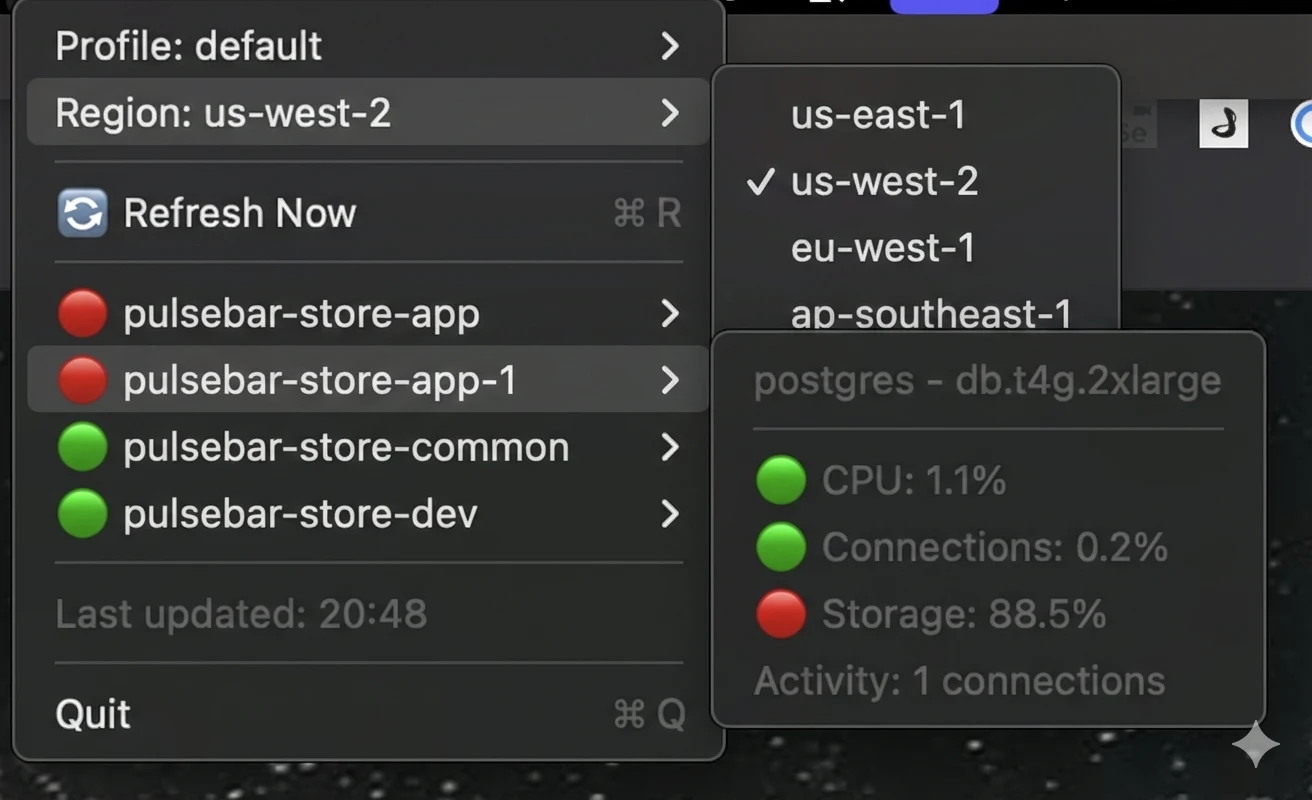
It reads your existing AWS profiles, so you can switch between environments and regions from the menu.
What you can do
- See CPU, connection usage, sessions and storage for discovered RDS instances.
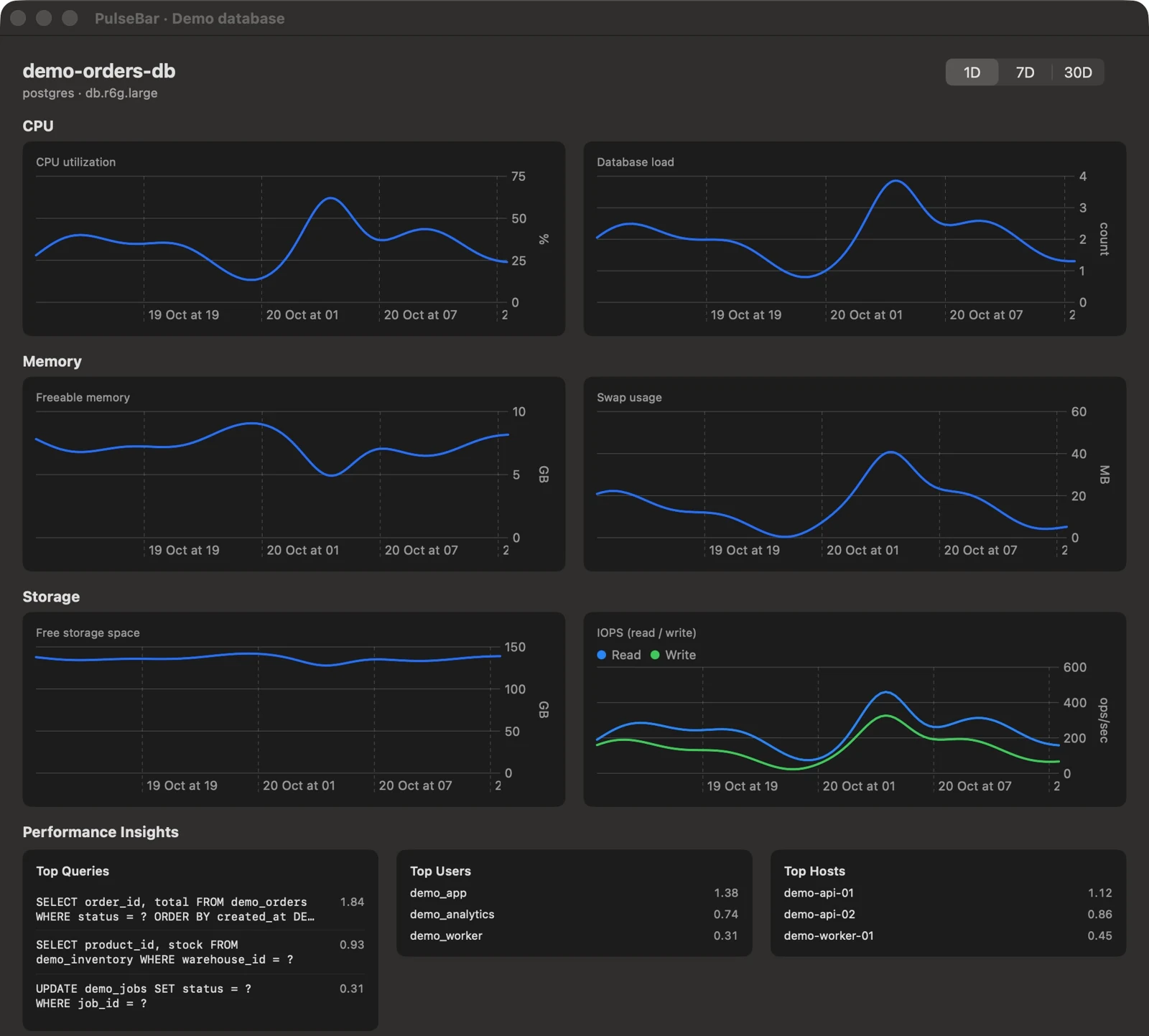
- Open database details with CPU, memory and storage charts over one, seven or thirty days.
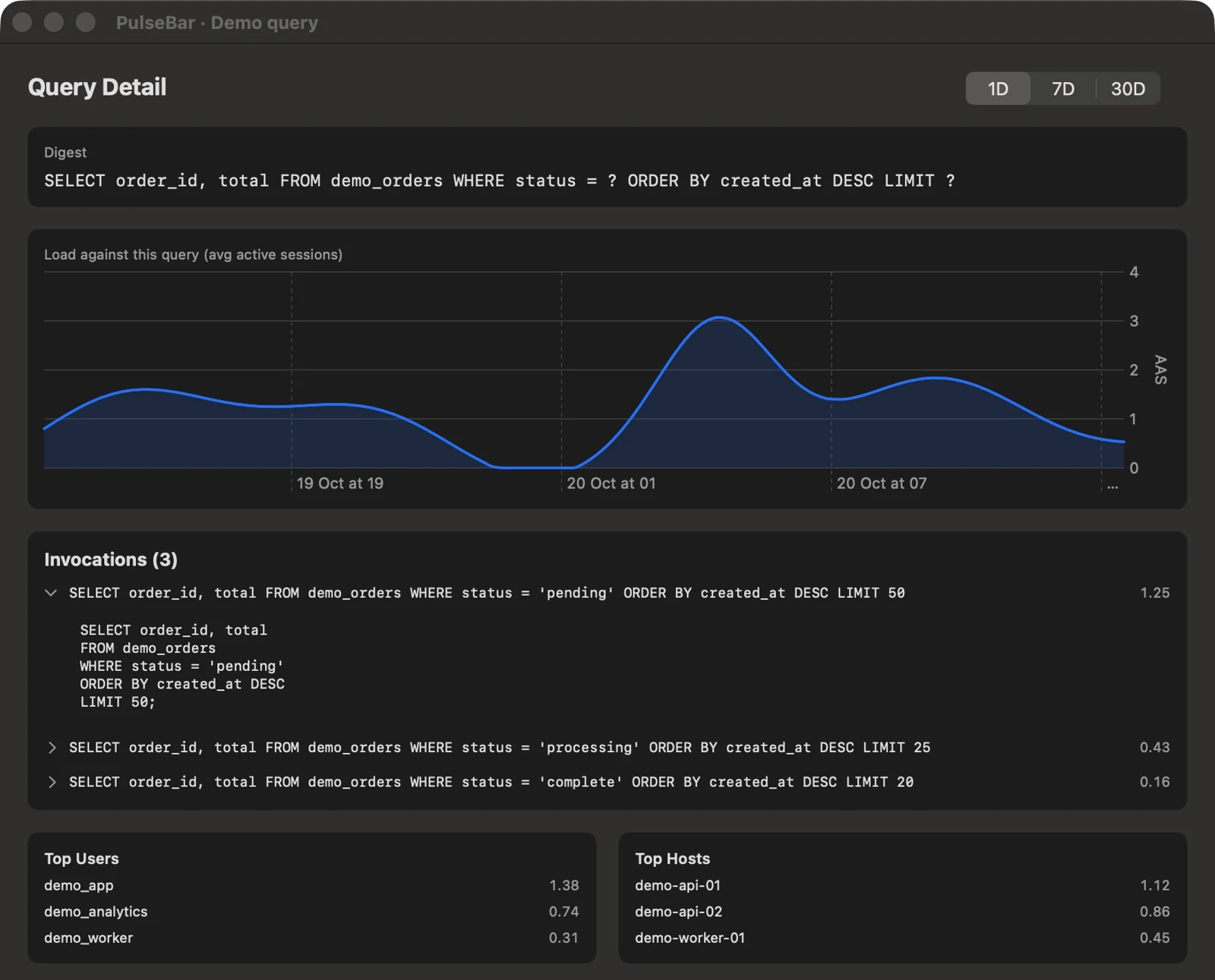
- Inspect top queries, users and hosts when Performance Insights data is available.
- Drill into query load and available statement details.
- See replicas grouped under their source instance and inspect replica lag.
- Set an alert threshold and a refresh interval between one and sixty minutes.
Getting started
Build and install from source:
git clone https://github.com/Captain-Sangam/PulseBar.git
cd PulseBar
make install
Launch PulseBar from Applications. Choose an AWS profile and region to discover your databases.
The project also documents a release download workflow; check the repository for current release availability.
Things to know
PulseBar requires permission to discover RDS instances and read CloudWatch metrics. Query analysis requires Performance Insights and its additional API permissions. AWS service availability, data retention and any AWS charges are governed by your AWS account.
The app reads profiles from ~/.aws/credentials and ~/.aws/config. The README describes the supported credential setup and IAM permissions.
Explore the source
PulseBar is open source under the MIT licence. Visit the repository for configuration, development and contribution details.