 Infrastructure
KubePeek
Inspect Kubernetes workloads, logs and metrics. Use your existing kubeconfig.
- Platform
- macOS · Docker
- Licence
- MIT
- Documentation
- Read the guide
In the app
A clearer view of your cluster
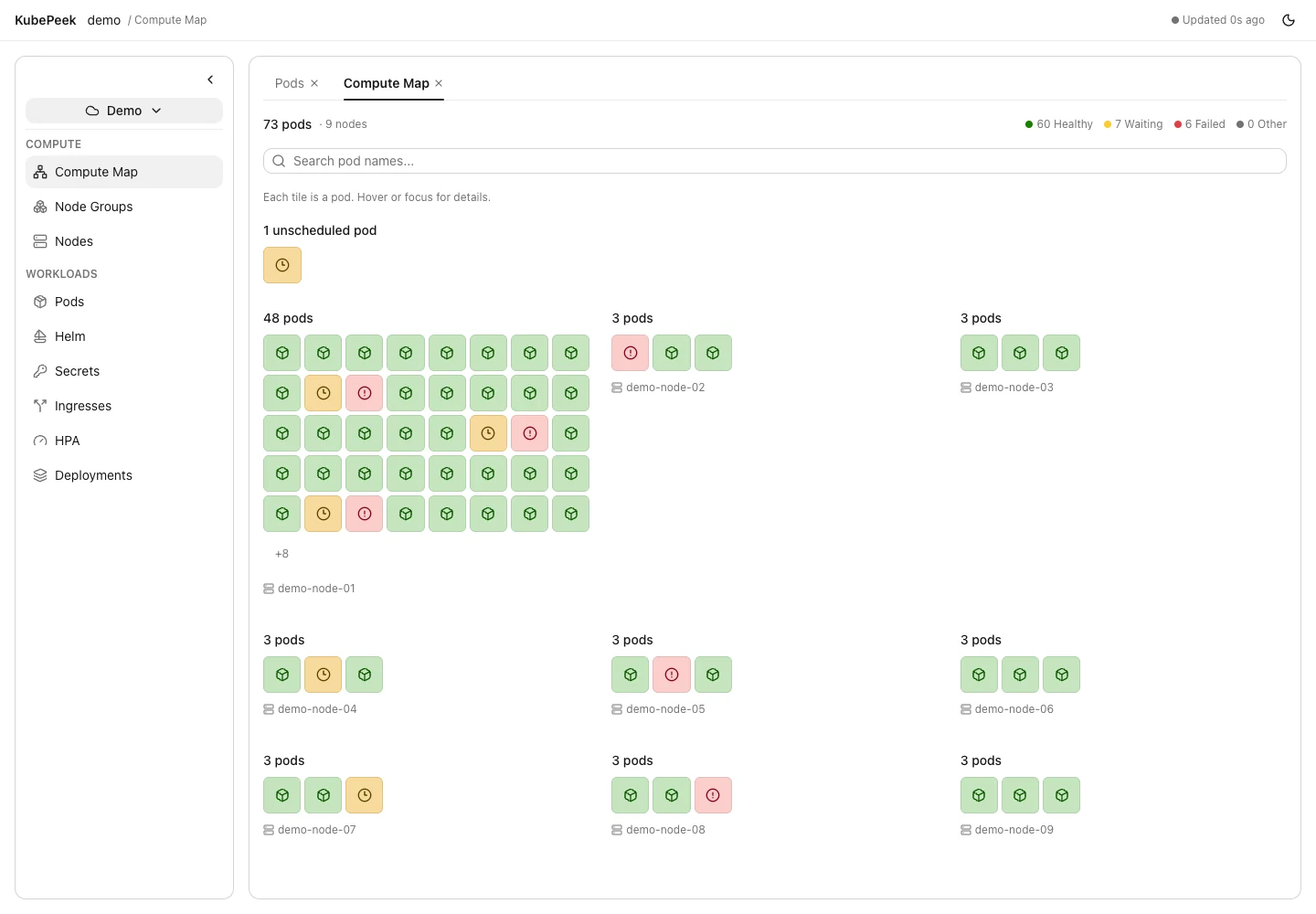
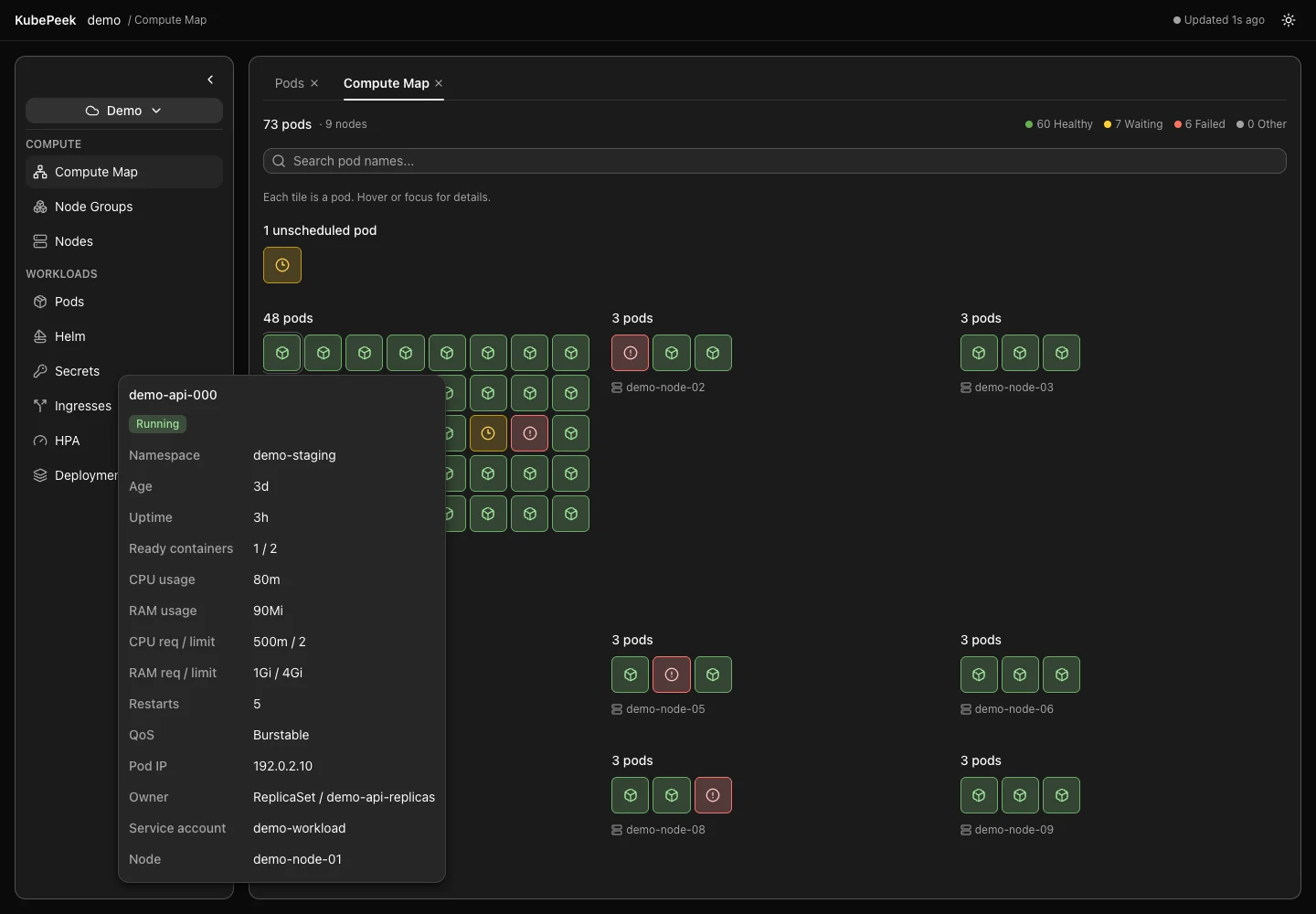
KubePeek brings Kubernetes inspection to a local desktop app. Start with the Compute Map to see where pods run, then explore node groups, workloads, events and logs without repeatedly changing tools.
It connects through your existing kubeconfig. Cluster data stays on your machine; KubePeek does not require its own account or cloud service.
What you can do
- Visualize pod placement and health, search for pods, and preview their details.
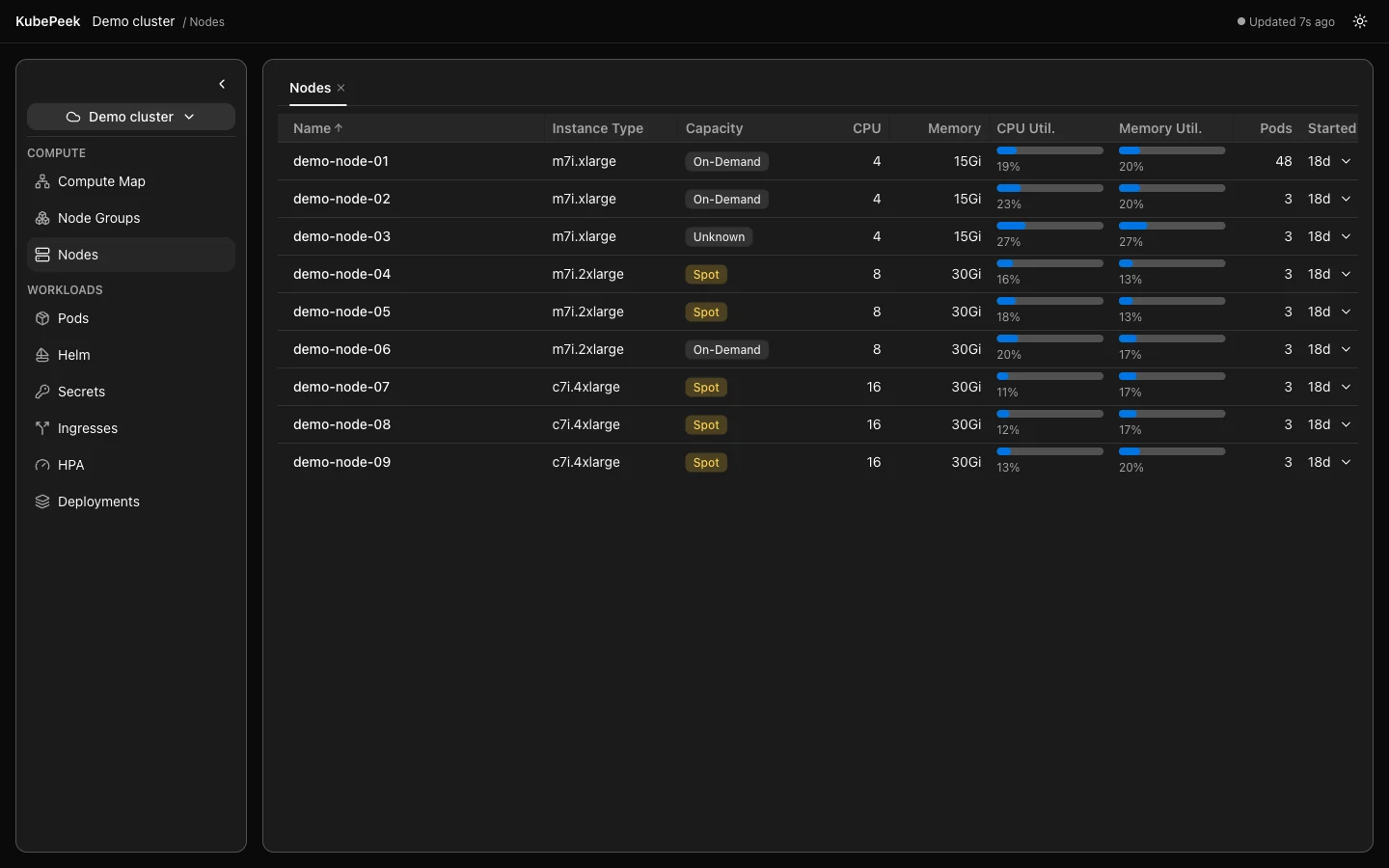
- Inspect node groups and node utilization, plus namespace-scoped workloads.
- Read current and previous container logs and Kubernetes events.
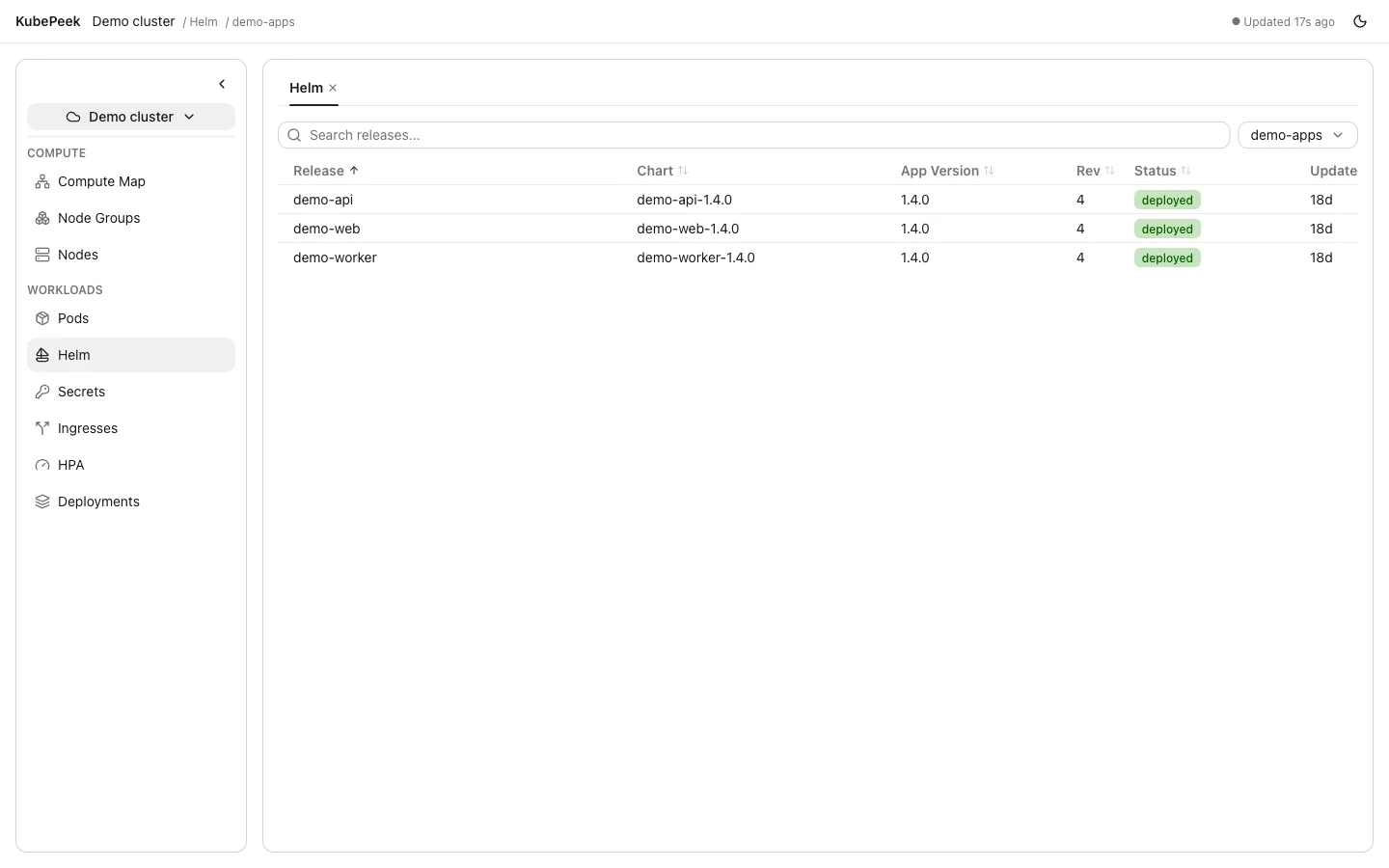
- Explore Helm releases, their values, manifests and revision history.
- Inspect masked Secrets and reveal their values on demand.
- Keep views open in tabs and switch between light and dark themes.
Getting started
Build and install the macOS app from source:
git clone https://github.com/Captain-Sangam/KubePeek.git
cd KubePeek
make install
make export
Launch KubePeek from Spotlight or Applications. Select a cluster, then choose a view and scope in the sidebar.
For containers, custom kubeconfigs and EKS credential mounts, follow the Docker deployment guide.
Things to know
CPU and memory metrics require metrics-server and the appropriate Metrics API permissions. Unavailable metrics display as n/a.
EKS authentication requires the AWS CLI, or the credential helper specified in your kubeconfig. Refresh your provider session when credentials expire, then reconnect in the app.
Local macOS builds are unsigned and not notarized. Actions such as deleting pods or Secrets require confirmation and remain subject to your Kubernetes permissions.
Explore the source
KubePeek is available under the MIT licence. Read the documentation, explore the source code, or open an issue with feedback.