 Desktop
herdr-remote
Watch coding agents on your Mac from an Android phone. Read transcripts, answer prompts and send messages.
- Platform
- Android + macOS
- Licence
- MIT
- Documentation
- Read the guide
In the app
4 images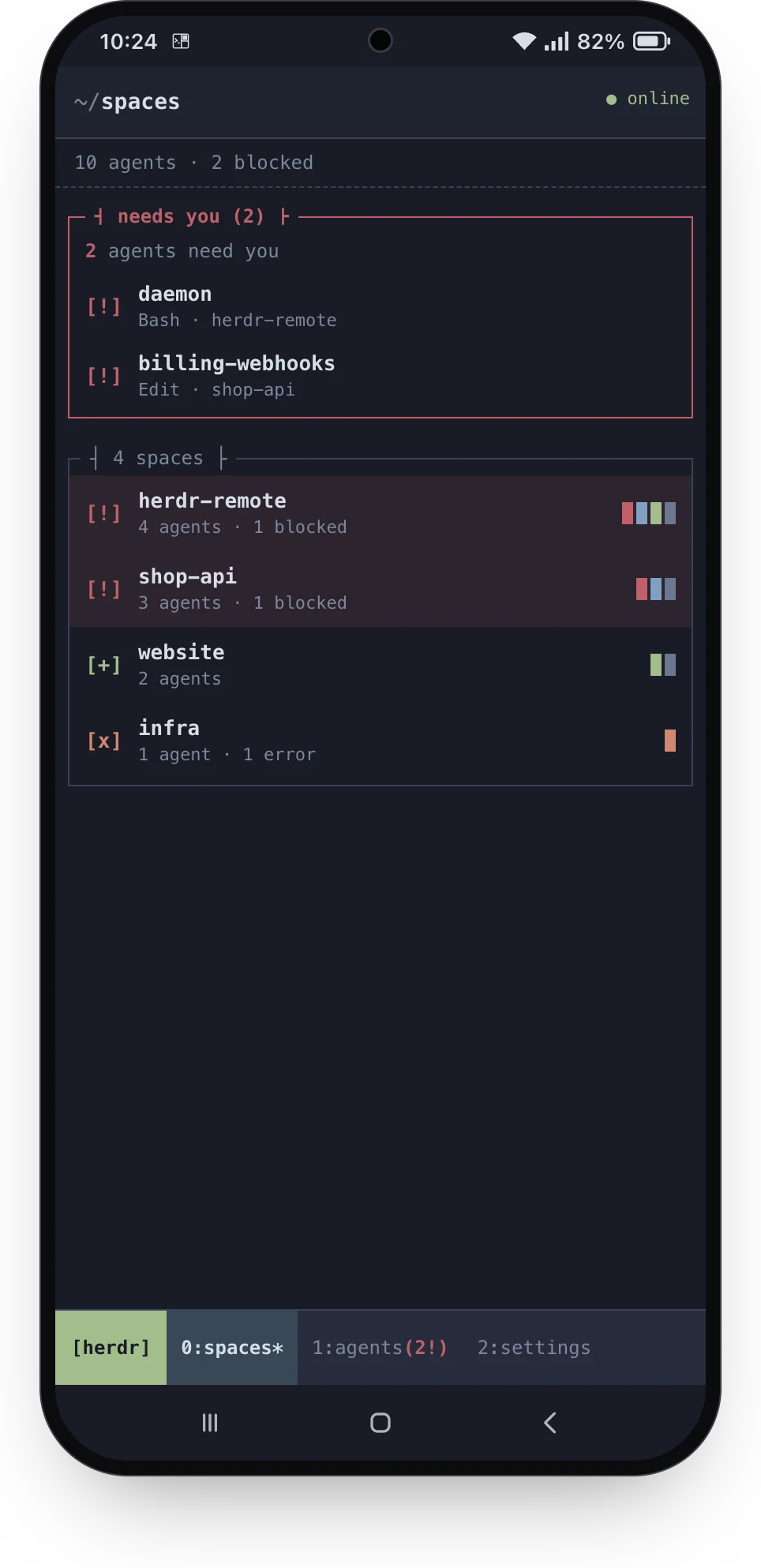
Spaces
Design preview from the project's Pane mockups. Sample spaces and agent states illustrate the layout.
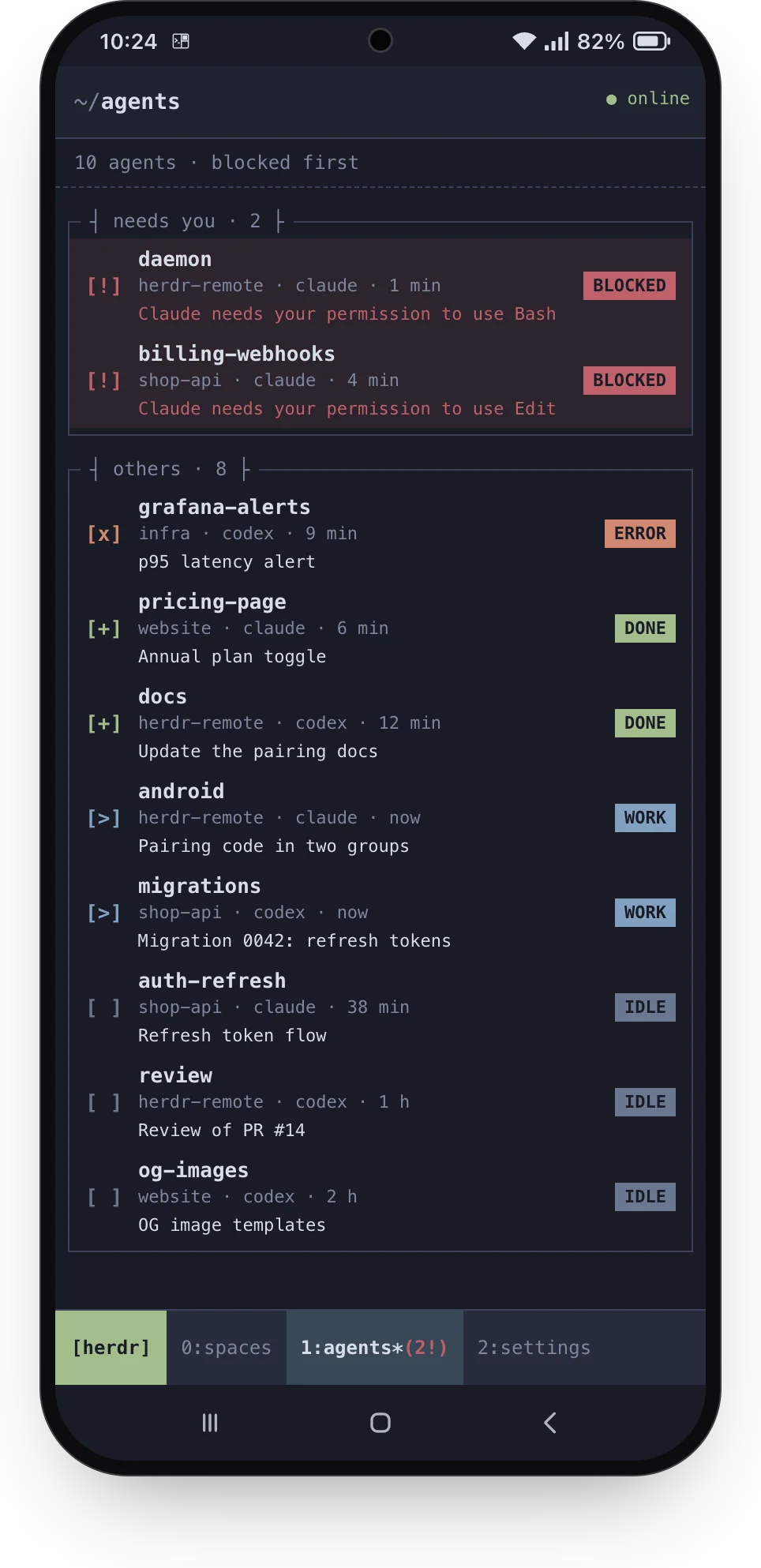
All agents
Design preview from the project's Pane mockups. The agent list groups work by its current state.
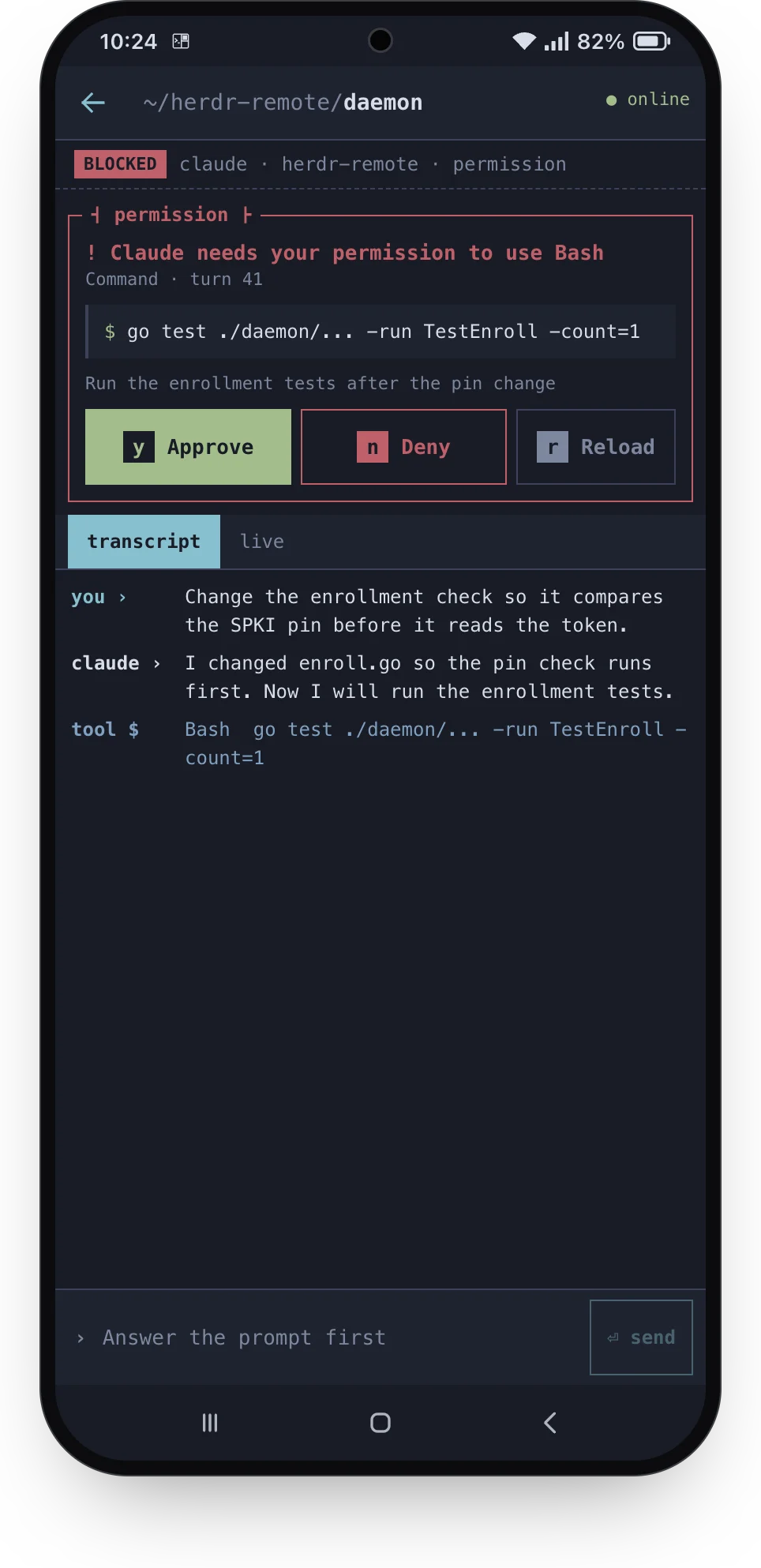
Answer a prompt
Design preview from the project's Pane mockups. A sample permission prompt appears above its transcript.
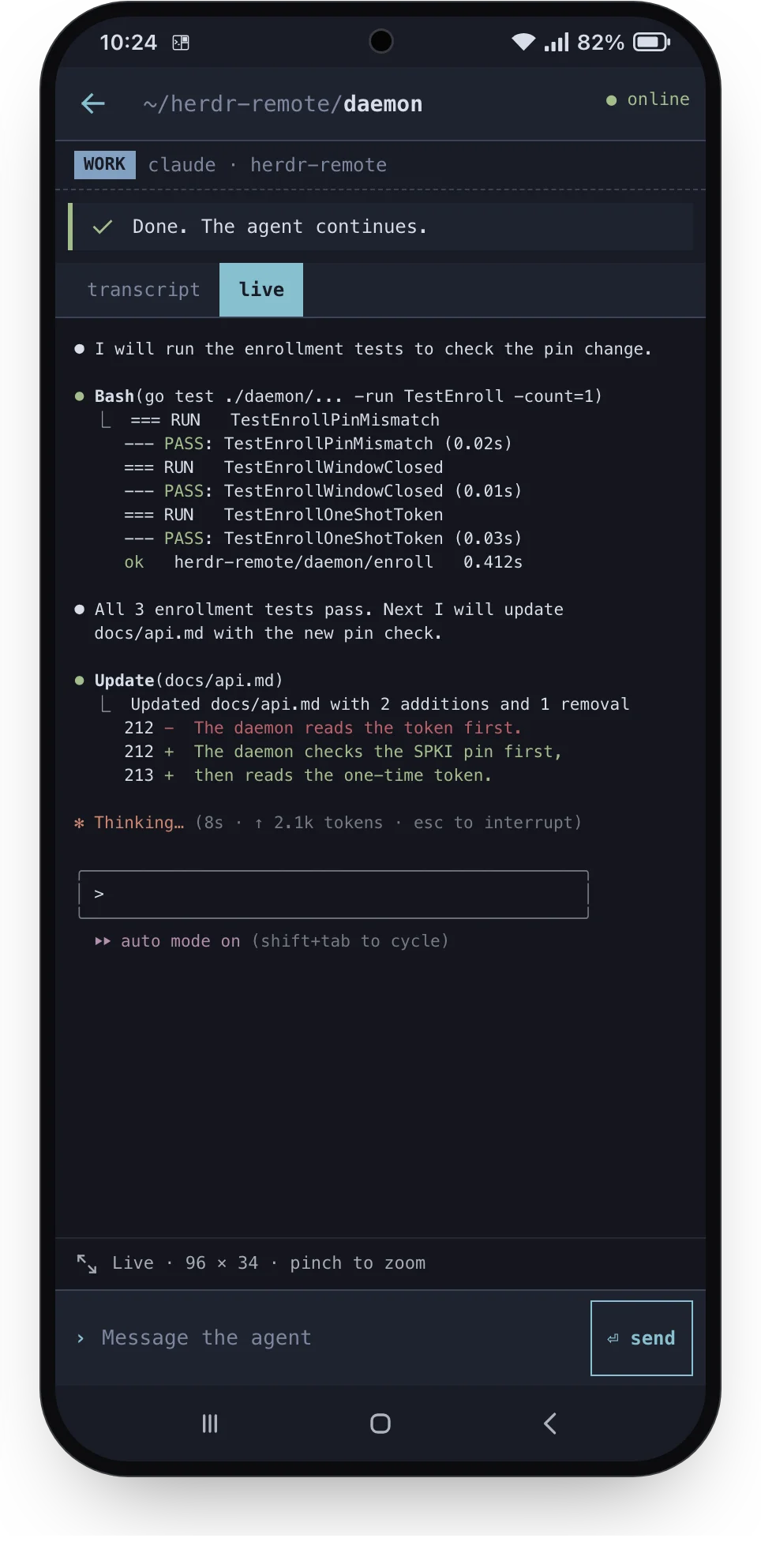
Live terminal
Design preview from the project's Pane mockups. The live view shows terminal output without direct terminal input.
Keep up with your agents
herdr-remote connects an Android phone to Herdr.app on one Mac. Check which agents need attention, read their transcripts and inspect live terminal output.
The phone connects to a Go daemon on your Mac over Wi-Fi or Tailscale. Mutual TLS authenticates paired devices. The project uses no relay server.
This is an independent project. It is not made by, or affiliated with, the makers of Herdr.
What you can do
- Browse spaces and agent states.
- Read Claude Code and Codex transcripts, with a live terminal view as a fallback.
- Approve or deny supported permission prompts and answer supported questions.
- Send a message to an agent.
- Enable optional alerts when an agent needs attention or finishes.
- Pair and revoke phones through the Herdr mod on your Mac.
Getting started
Clone the source and install the Mac daemon and Herdr mod:
git clone https://github.com/Captain-Sangam/herdr-remote.git
cd herdr-remote
scripts/install.sh
The install script builds herdr-remoted and starts it as a macOS LaunchAgent. Allow incoming connections if macOS requests permission.
Set up the Android tools and build the app:
scripts/setup-android.sh
cd android
JAVA_HOME=/opt/homebrew/opt/openjdk@17 \
  ANDROID_HOME=/opt/homebrew/share/android-commandlinetools \
  ./gradlew assembleDebug
Connect your phone through USB and install the APK:
/opt/homebrew/share/android-commandlinetools/platform-tools/adb install -r \
  app/build/outputs/apk/debug/app-debug.apk
Open the herdr-remote mod in Herdr.app. Select Pair a phone, scan the QR code and compare the six-digit codes. Allow the phone only if they match.
For full Codex transcripts, configure Herdr to launch Codex with --no-daemon. See the deployment guide for the complete setup.
Things to know
- A paired phone can approve commands and send messages on your Mac. Pair only phones that you own. Revoke lost devices promptly.
- The live terminal view is read-only. Supported prompts and messages use separate controls.
- The daemon checks approval state and local Mac activity. These checks have a documented race: a key can reach a changed prompt.
- Transcripts and terminal output stay in the phone’s memory. Agent tools may still use their own cloud services.
- The gallery shows the project’s design previews. The installed app has documented differences from these mockups.
- Build and install the Android app from source. This page does not offer a packaged download.
Read the architecture and security model and operating notes before use.
Explore the source
herdr-remote uses the MIT licence. See the documentation index for the API, design decisions and development guides.