 AI & insights
GitBoard
Review GitHub activity in a self-hosted dashboard. Explore team and contributor statistics.
- Platform
- Web · Self-hosted
- Licence
- MIT
- Documentation
- Read the guide
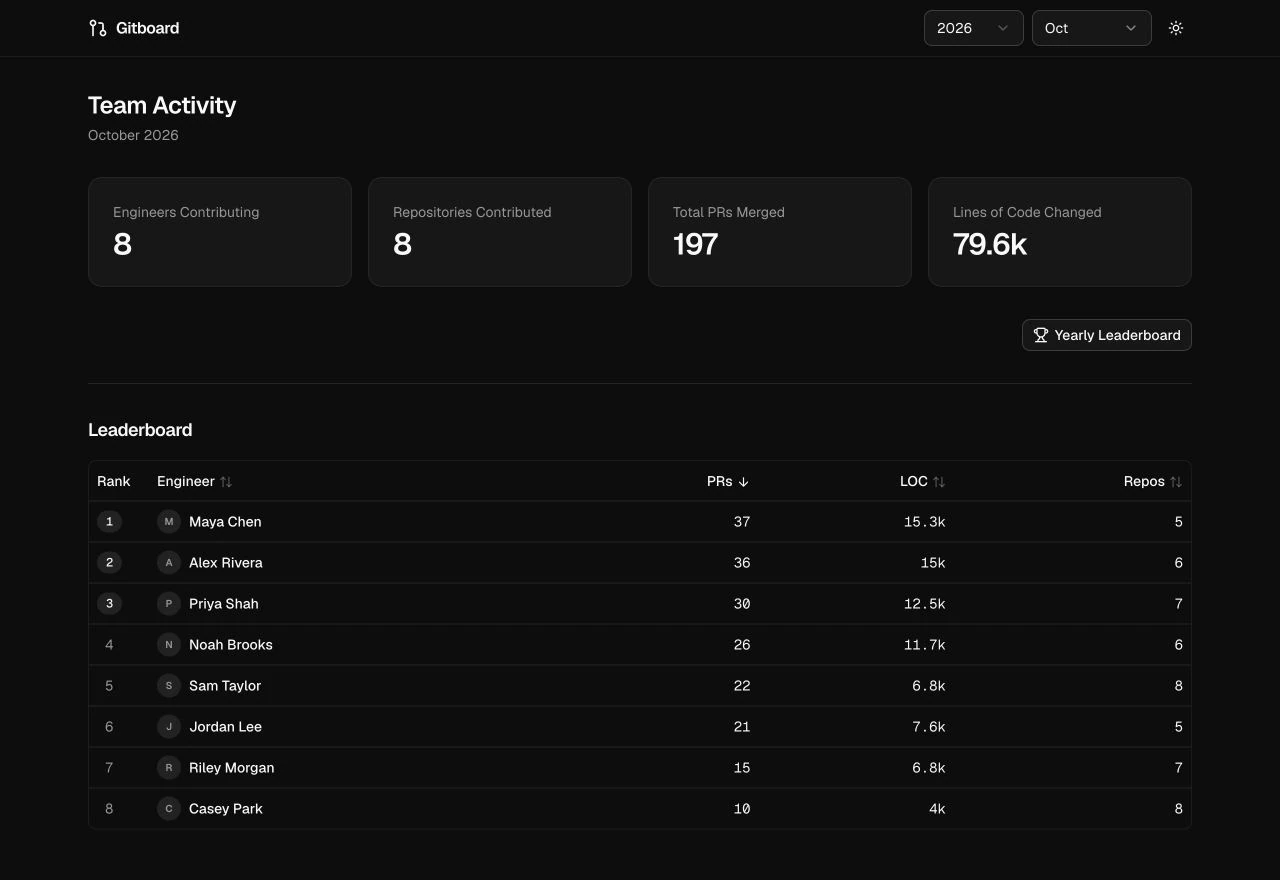
In the app
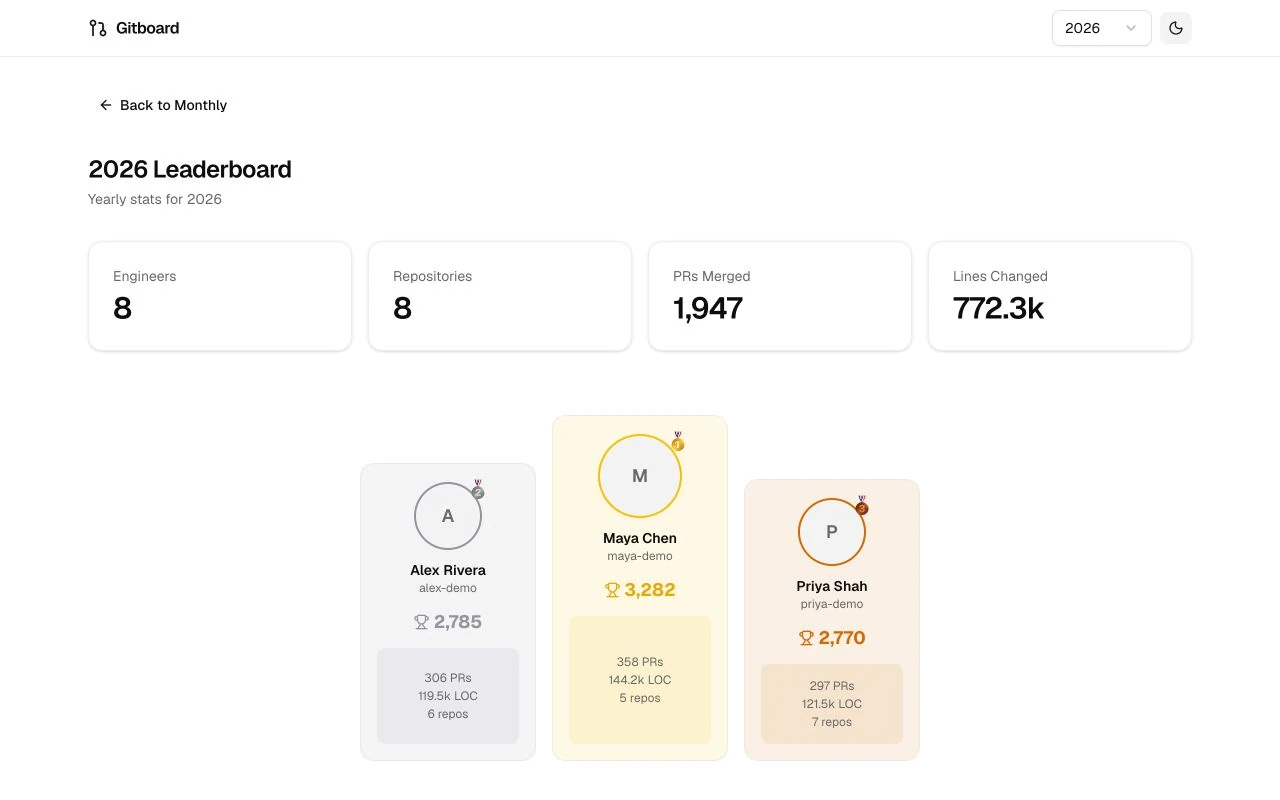
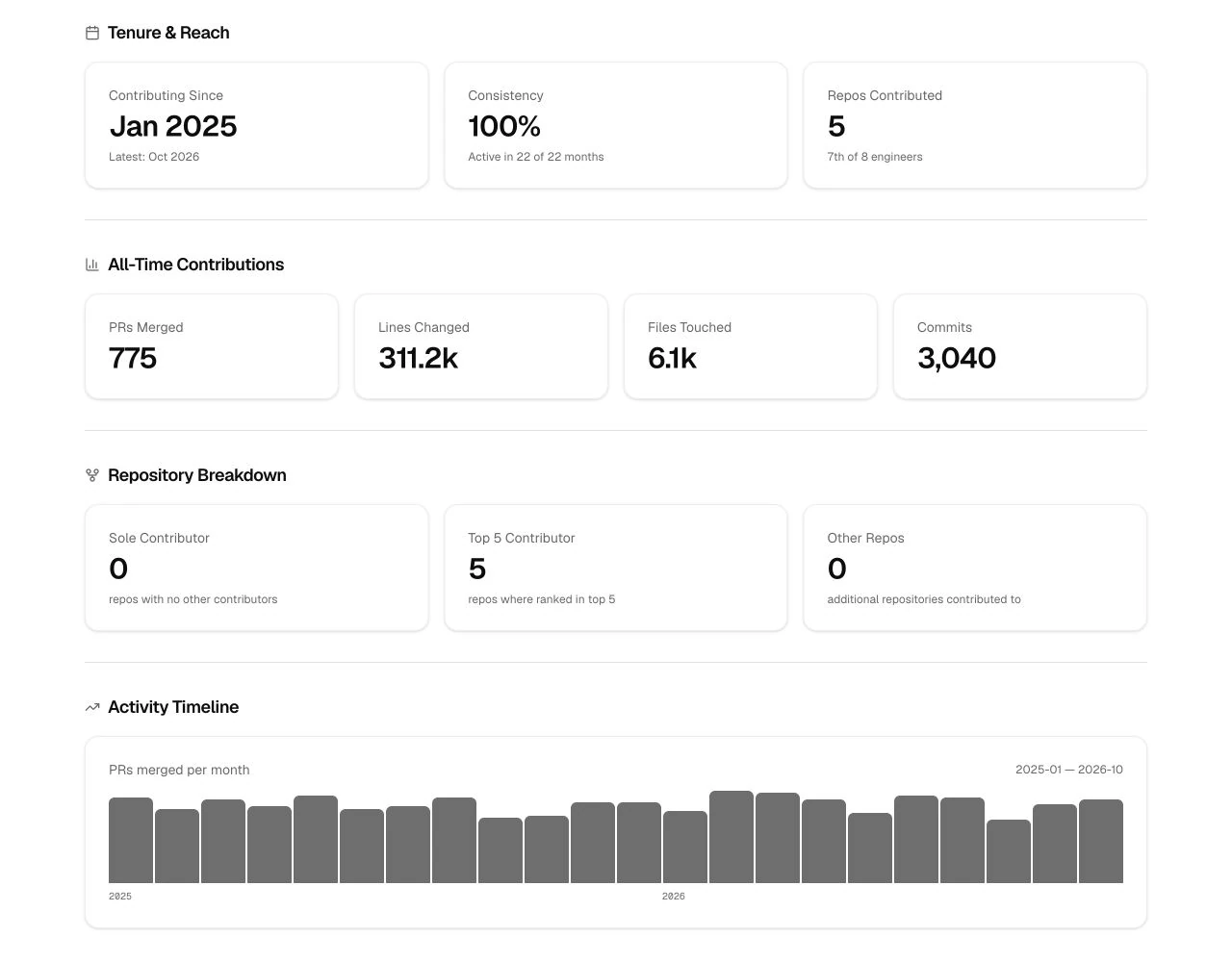
Put activity in context
GitBoard aggregates GitHub pull-request activity across an organisation and turns it into a dashboard with monthly statistics, developer profiles and yearly leaderboards.
It combines a Next.js web application, Python ingestion jobs and PostgreSQL. The web application reads the collected data; the jobs retrieve and store activity from GitHub.
What you can do
- Explore team statistics for pull requests, lines changed, repositories and contributors.
- Browse monthly activity and a yearly leaderboard.
- Open developer profiles with contribution histories and repository breakdowns.
- Generate optional weekly summaries and profile narratives with an AI provider.
- Switch between light and dark themes.
Getting started
Clone the repository and install the locked web dependencies:
git clone https://github.com/Captain-Sangam/GitBoard.git gitboard
cd gitboard
npm ci
cp .env.example .env
Follow the Getting started guide to configure a TLS-enabled PostgreSQL database, create both required tables and run the initial GitHub import. The current ingestion jobs read credentials from AWS Secrets Manager, including when run locally.
Once the database is ready, start the web app from the repository root:
npm run dev -- --hostname 127.0.0.1Open http://localhost:3000 to browse the imported activity. Schedule the Python ingestion jobs separately to keep it current. The deployment guide covers production hosting and Docker.
Documentation
The documentation index links to the full set of guides:
- Getting started: database setup, credentials and the first import.
- User guide: monthly activity, yearly scoring, profiles and Highlights.
- Architecture: data flow, component boundaries and API routes.
- Deployment: the web server, Docker and scheduled jobs.
- Privacy and security: access control, stored data and AI data flow.
Things to know
GitBoard is self-hosted software. It requires its own application runtime, database and ingestion jobs. Hosting it is a separate task from serving this static Labs website. Shared deployments need authenticated access in front of the app; GitBoard has no built-in sign-in.
An Anthropic API key is optional for generated summaries and narratives. Enabling it sends selected contribution data to Anthropic and may incur provider charges. Leave the key empty to keep AI calls disabled. Hosting and ingestion services may also incur costs.
Activity counts and leaderboard scores capture selected GitHub activity, so use them alongside qualitative context when understanding engineering work.
Explore the source
GitBoard is available under the MIT licence. Explore the repository or read the contribution guidelines to get involved.