 AI & insights
Elrond
Compare answers from AI models. Run a debate and read the combined result.
- Platform
- macOS
- Licence
- MIT
- Documentation
- Read the guide
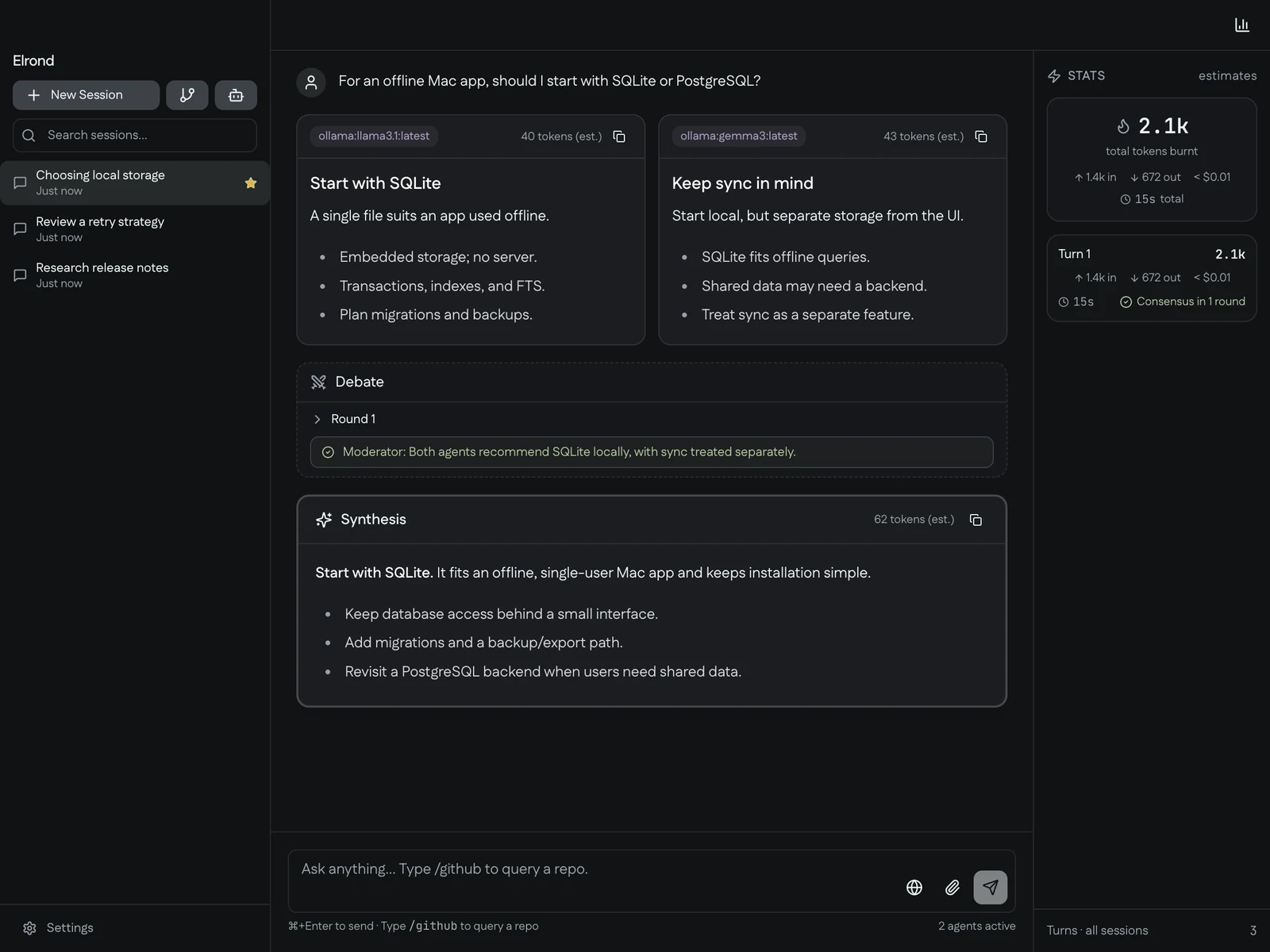
In the app
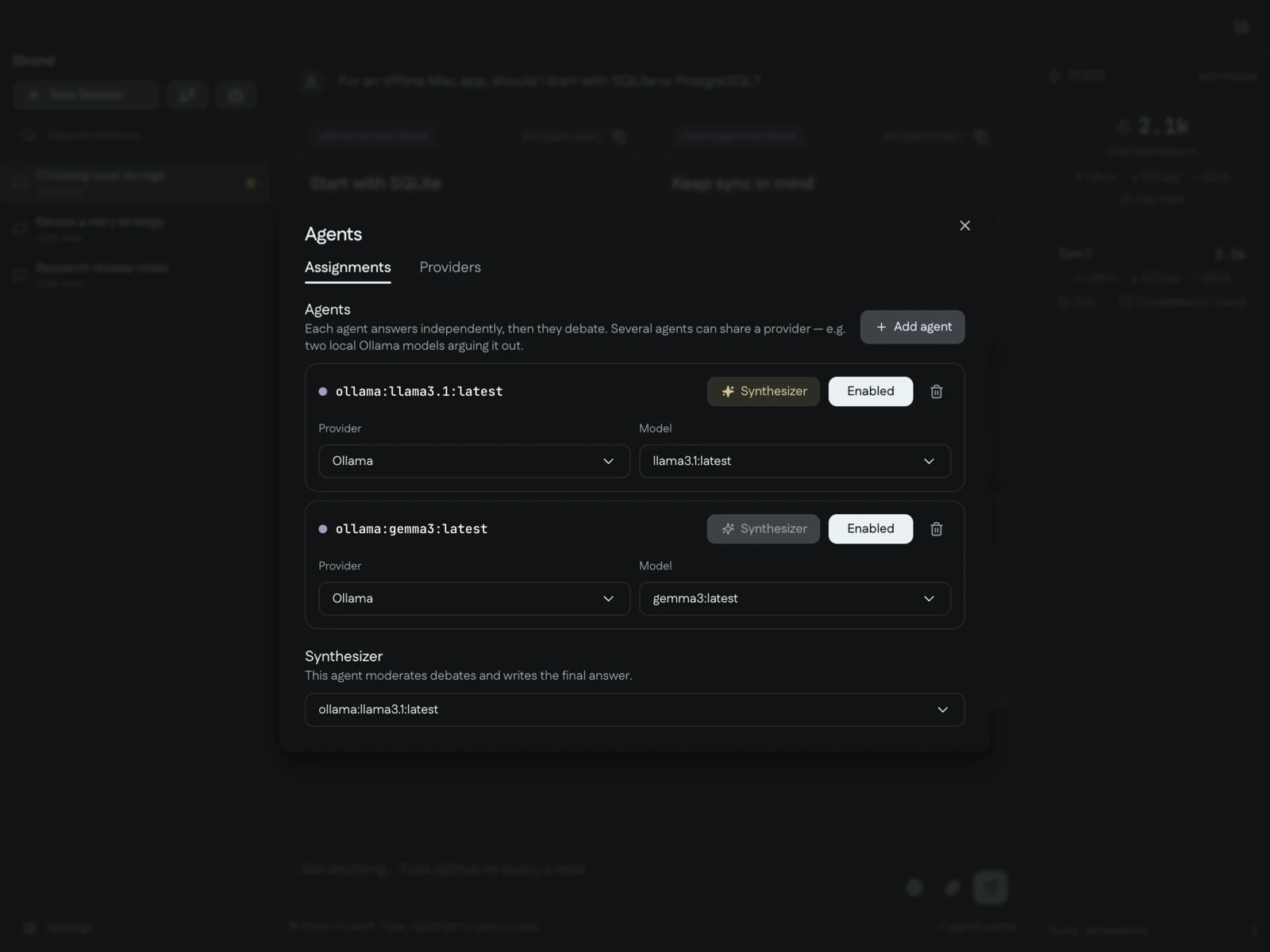
Put a few minds on it
Elrond is a desktop workspace for asking the same question of multiple AI models. Compare their initial answers, run a moderated debate when useful, and read a final synthesis that brings the discussion together.
Supported options include OpenAI, Anthropic, Google and local models served through Ollama. The project also documents supported CLI-based provider connections.
What you can do
- Choose models for individual agents and a synthesizer.
- Compare responses side by side in one session.
- Follow debate rounds and a moderator’s verdict.
- Inspect per-turn statistics alongside the discussion.
- Organize and revisit sessions in the desktop interface.
Getting started
git clone https://github.com/Captain-Sangam/Elrond.git elrond
cd elrond
make install
make export
Launch Elrond from Spotlight or Applications. Follow the setup wizard to configure providers and choose models. For debate, enable at least two agents and select a synthesizer.
You can start with a running Ollama server and models already downloaded. See the documentation for provider setup and development instructions.
Things to know
Elrond’s source code is free under the MIT licence. Cloud model usage may require paid API access or a supported subscription. Local Ollama models require suitable hardware and a running server.
Prompts sent to cloud providers leave your machine and are handled under those providers’ policies. Model agreement is useful context, but does not establish that an answer is correct.
Explore the source
Read the source code, review the installation guide, or contribute a useful improvement.